Choosing 3d modeling software can feel overwhelming when every tool seems to do everything. The short answer: match the tool to your goal, such as printing, engineering or art, and start with a free one.
| Software | Starting price (as listed September 2026) |
|---|---|
| Blender | Free, open source |
| FreeCAD | Free, open source |
| Tinkercad | Free, browser-based |
| Autodesk Fusion | Free (personal use), from $57/mo |
| Rhino 3D | From $995 (perpetual, no free tier) |
| SketchUp | From $10.75/mo (no general free tier) |
These figures come from Toolradar’s guide to free 3D modeling software, which says each price was checked on the vendor’s own site in September 2026. Prices and free-tier limits can change, so check the source and the vendor before you rely on them.
What 3D modeling software does
3D modeling software lets you build digital objects on screen, then print, animate, render or manufacture them. According to 3Dnatives, CAD software allows you to design or replicate objects in digital form. That one idea covers everything from a phone stand to an animated character.
If the vocabulary is new, our overview of 3d modeling basics covers the core ideas behind every program in this guide.
The same 3Dnatives guide, published on August 28, 2025, tells readers to start by focusing on their field of activity. It then points to four things that shape the choice:
- The industry you work in, since architecture, mechanical engineering, product design and animation have very different needs.
- The type of project: modeling, animation or simulation.
- The size, detail and complexity of the models you expect to build.
- Your budget.
On budget, 3Dnatives suggests you evaluate the associated costs, whether they involve subscription licenses, perpetual licenses, or free versions with limited features. Keep that distinction in mind, because it comes back in the pricing sections below.
The main types of 3D modeling software
No single program is best at everything, so tools are usually grouped by the job they do. 3Dnatives sorts them into six families and names typical examples for each.
- Engineering: SolidWorks, Siemens NX, CATIA, Fusion 360, Inventor, Creo and Solid Edge. Some of these include computer-aided manufacturing (CAM) tools, which makes it easier to move from modeling to production.
- Architecture: AutoCAD, Revit, ArchiCAD, SketchUp and Vectorworks.
- Animation and visual effects: Maya, Blender, Houdini, 3ds Max and Cinema 4D.
- Product design: Rhino, Fusion 360, SolidWorks and Alias.
- Simulation and optimization: Ansys, Simulia (Abaqus), Altair Inspire and COMSOL Multiphysics.
- Organic modeling and sculpting: tools for complex, highly detailed shapes, often used in digital art and video games.
Notice the overlap. Fusion 360 appears under both engineering and product design, and SolidWorks does too, while Blender sits in the animation family even though many learners use it for printing.
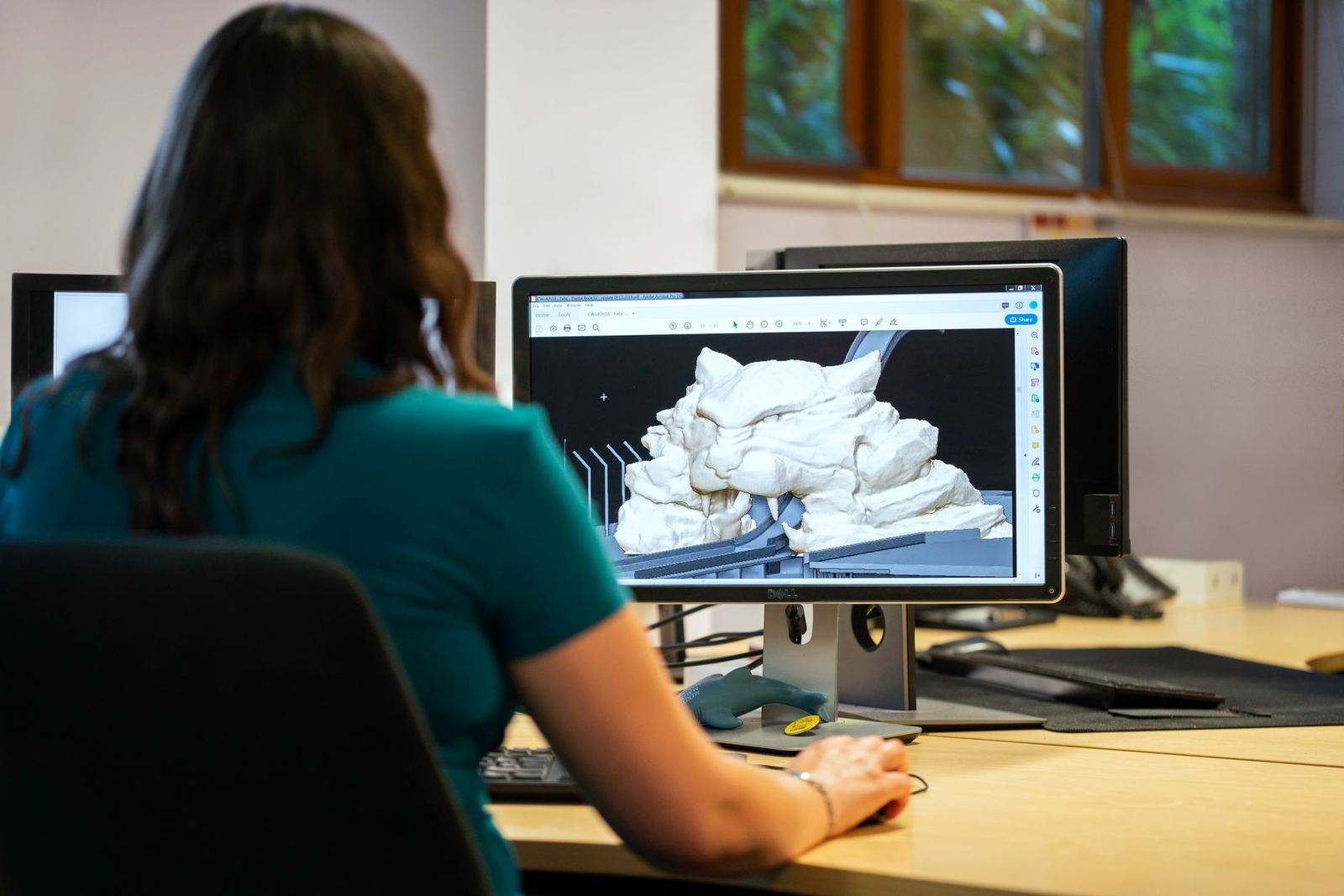
For a learner, the practical split is simpler. Precise, measured parts belong to CAD, while characters, creatures and scenes belong to artistic modeling and sculpting. Our comparison of cad vs 3d modeling software explains where that line falls and why it matters for your first purchase or download.
Free 3D modeling software to start with
You do not need to pay to learn. In Toolradar’s catalog, of the 94 3D design tools it tracks, 65% offer a free or freemium plan and 33 (35%) are paid only, as of its September 2026 pricing check. Three tools stand out for learners.
- Blender: a full 3D modeling, sculpting and rendering suite with zero paid tier.
- FreeCAD: a free parametric CAD tool built for dimensioned, engineering-grade design.
- Tinkercad: Autodesk’s free browser-based tool, built for beginners.
Blender is the most flexible of the three. Toolradar notes that Blender’s own about page states the software is free and open source forever, for any purpose including commercial work. Its downside is one dense interface covering modeling, animation and compositing, so a beginner who only wants simple CAD may find Tinkercad or FreeCAD more direct. If you still want to try it, our blender for beginners guide covers the first steps in that interface.
Tinkercad is the gentlest start. Toolradar says it is free with no paid tier, but that Autodesk’s own materials describe it as lacking the advanced features a complex design needs. Our tinkercad tutorial walks you through building your first model in the browser.
FreeCAD suits people who want measured, editable parts. A community 3D printing wiki, last edited in April 2021, says it works pretty much like Fusion360 but completely offline, and can be scripted with Python. Our freecad beginner tutorial shows how to start a first sketch and part.
Two more names come up often, with strings attached. The same wiki calls Fusion 360 the community favourite for CAD and says it is free for non-commercial use, with startup exceptions available, as of that April 2021 edit. Toolradar’s September 2026 check lists Autodesk Fusion as free for personal use, so confirm the licence terms on the vendor’s site before you start a paid project. Our fusion 360 for beginners guide covers the learning curve.
If you want a wider ranked comparison, see our best free 3d modeling software roundup.
Paid tools and the catches behind “free”
“Free” does not always mean the same thing. Toolradar separates software that is free with no restrictions from software that is free only for public work, personal use, or a limited feature set.
- Onshape: listed as free for public documents and from $1,500/user/yr otherwise. Toolradar adds that every free document is public and the license bars commercial use.
- Autodesk Fusion: free for personal use, or from $57/mo for other uses.
- Rhino 3D: from $995 as a perpetual license, with no free tier.
- SketchUp: from $10.75/mo, with no general free tier.
- ZBrush: a limited free version on iPad and a trial on desktop.
All of those prices are as listed in Toolradar’s September 2026 pricing check, and vendors change plans often. Read the licence before you build anything you intend to sell or share.
How you pay matters as much as the price. A perpetual license is bought outright, while a subscription keeps charging you monthly or yearly. For a learner, that is a good reason to finish some projects in a free tool before you commit.
Matching software to your goal
The community wiki mentioned above splits model-making software for 3D printing into a few categories based on your goal. It is a useful map even if you never print anything.
- CAD and parametric design for dimensioned, functional objects and fitted parts. The wiki says CAD excels most with mechanical designs, where the object is defined by measurements, angles and tolerances, and revisions are quick.
- Sculpting for organic shapes. The wiki describes it as having a virtual ball of clay that you pinch, smooth and pull into a person or creature, and calls Sculpt GL the easiest free, open source way to get started.
- Hard-surface modeling for non-functional inorganic shapes. The wiki names Tinkercad as the easiest way into this style and Blender as a more advanced free option.
- Scanning and photogrammetry for turning real objects into models, where it suggests AliceVision as the easiest starting point.
- Generative design and topology optimisation, where a computer generates or optimises a design based on constraints such as load and fixing points.
If sculpting appeals to you, you will eventually meet ZBrush. Our zbrush vs blender sculpting comparison helps you decide whether a paid sculpting tool is worth it or whether Blender already covers your needs.
Another path is code. The same wiki lists OpenSCAD, where you describe your model in a computer language and the computer renders it. That suits people who already like programming, but most learners will be happier with a visual tool first.
If your main goal is making physical objects, read our 3d printing for beginners hub alongside this one, because the printer and the modeling tool influence each other.
A simple path for learners
You can avoid most wasted weeks with a short, repeatable routine. Follow these steps in order.
- Write down what you want to make: a mechanical part, a character, a building or a printable gadget.
- Pick one free tool from the matching family and stay with it for your first projects.
- Finish a small project from start to end before you compare more software.
- Only then look at paid tools, checking the licence and the price on the vendor’s own site.
Switching programs every few days is the most common way to stall. Habits such as navigating a viewport and thinking in shapes carry over between programs, so a few weeks in one tool is rarely wasted.
When you are ready to narrow things down, our guide on how to choose 3d modeling software goes through the decision in more detail.
Frequently asked questions
Which 3D modeling software is best for a complete beginner?
Show answer
Tinkercad is the usual answer. Toolradar describes it as suited to students, teachers and first-time 3D modelers who want a simple browser tool with nothing to install. Move to Blender or FreeCAD when you outgrow it.
Is free 3D modeling software good enough?
Show answer
For learning, yes. Blender has no paid tier and no restriction on commercial work, according to Toolradar’s reading of Blender’s own about page. The catches appear with tools such as Onshape, whose free documents are public.
Do I need different software for 3D printing?
Show answer
Not necessarily, but the type of object matters. Mechanical parts suit CAD tools such as FreeCAD or Fusion, while organic shapes suit sculpting tools and artistic shapes suit Blender. The matching section above shows which family fits which kind of object.
Can I use Fusion for paid work on the free licence?
Show answer
Not safely without checking. Toolradar’s September 2026 check lists Autodesk Fusion as free for personal use only, and the community wiki, as of its April 2021 edit, said free for non-commercial use. Read the vendor’s licence terms before you charge anyone.