If you’re asking how does 3d printing work, here’s the short answer: software slices your digital model into thin layers, and a printer builds the object one layer at a time. No engineering background needed.
New to all this? Our guide to 3d printing for beginners puts the process in a wider context.
| Item | Value |
|---|---|
| Process categories defined in ISO/ASTM 52900 | 7 categories |
| Usual slicer input formats | STL or 3MF |
| Fine layer height (smoother, slower) | 0.1 mm |
| Faster layer height (less fine detail) | 0.2-0.3 mm |
| Typical default overhang angle for supports | 45° |
| Typical wall count | 2-4 walls |
These figures come from the Wevolver slicing guide and the IEEE Technology Navigator. Settings and standards can change, so check the sources before you rely on them.
How does 3D printing work, from digital model to physical object?
Every print follows the same chain: a digital model, a slicing step, and a machine that deposits or cures material. Standards bodies call the whole family additive manufacturing. The 2021 edition of ISO/ASTM 52900, quoted by the OPC Foundation, defines it as the “process of joining materials to make parts from 3D model data, usually layer upon layer”.
That is the opposite of subtractive manufacturing, which removes material from a solid billet, as the IEEE Technology Navigator explains. Here is the journey in plain order:
- Create or download a 3D model.
- Check the model and repair any geometry errors.
- Slice the model into layers and export printer instructions.
- Let the machine build the part from the bottom up.
- Remove supports and finish the surface.
Step one: preparing the digital model
Everything starts with a model exported from 3D modeling or CAD software. The most common file type is STL, which the Wevolver guide describes as made up of interconnected triangles. The 3MF format is a manufacturing-aware alternative that carries embedded metadata.
The same guide advises that models should be manifold (watertight), properly scaled and free from geometric errors. Repair tools such as Netfabb or Meshmixer can fix common problems, including:
- Non-manifold edges
- Intersecting triangles
- Reversed normals
- Zero-thickness walls
If you are still learning to build models, this is where good modeling habits pay off: a clean, closed shape slices far more predictably than a messy one.
What does a slicer actually do?
Slicing is the computational process that converts three-dimensional CAD models into a series of two-dimensional layers that a printer can execute, according to the Wevolver guide, dated 30 June 2025. The result is G-code, a text-based set of commands that tells the printer exactly how to build the object layer by layer.
For each layer height, the slicer works through the same routine:
- Finds which triangles of the model intersect the current slicing plane.
- Calculates intersection points to create 2D outlines, called perimeters or shells.
- Fills the interior with infill, using patterns such as grid or gyroid.
- Plans travel moves, retractions and support structures as needed.
- Outputs G-code with exact coordinates, movement speed, extrusion amount and temperatures.
The printer then follows that file line by line, moving the printhead, adjusting the extruder and building the object from the bottom up. In short, the slicer is the bridge between a static model and a moving machine.
Slicer settings that shape your print
Most slicers include ready-made print profiles for specific printers and materials, which the Wevolver guide calls a great starting point for beginners. You can then adjust a handful of settings to match your goal.
- Layer height: 0.1 mm gives smoother surfaces and finer detail but takes longer, while 0.2-0.3 mm prints faster with less fine detail.
- Walls: typical values range from 2-4 walls, and more walls add strength and time.
- Infill: around 15% suits light use, while 50% or more suits structural parts.
- Supports: a typical default overhang threshold is 45°, so steeper surfaces get supported.
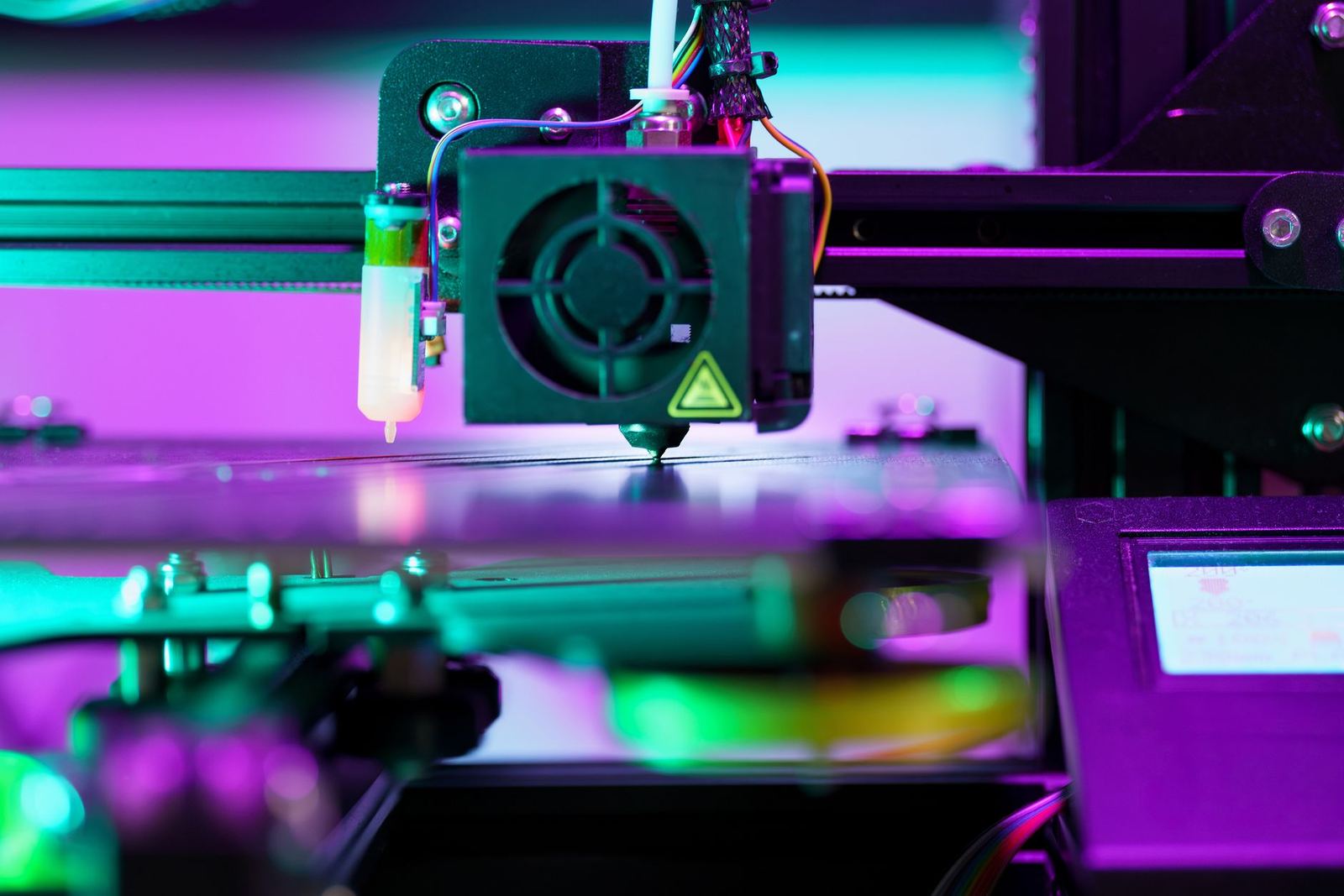
Orientation matters too. Model orientation affects print quality, support needs and mechanical properties, and because layer lines are typically the weakest link, the guide suggests aligning layers perpendicular to expected stress.
Tree supports, available in some slicers, are more material-efficient and easier to detach on curved or organic shapes. Always check the layer-by-layer preview before you print, and if a result still comes out stringy or warped, our guide to common 3d printing problems shows where to look next.
How different printers build each layer
The slicing logic is shared, but the machines differ. ISO/ASTM 52900 defines seven process categories, distinguished by how material is consolidated layer by layer, and each trades off resolution, surface finish, material choice, build rate and post-processing.
Four of them cover most of what you will read about:
- Material extrusion, such as fused deposition modeling (FDM), pushes thermoplastic filament through a heated nozzle and traces each layer as a continuous tool path.
- Vat photopolymerization, such as stereolithography (SLA) and digital light processing (DLP), cures liquid resin with a controlled light source.
- Powder bed fusion, including selective laser sintering (SLS), spreads a thin layer of powder and fuses it selectively with a laser beam.
- Directed energy deposition feeds metal powder or wire into a focused energy beam.
The IEEE page adds that binder jetting, material jetting and sheet lamination complete the classification. It also notes that vat photopolymerization achieves the highest dimensional resolution of any category. If you are choosing between the two most familiar desktop options, our comparison of fdm vs resin 3d printing goes deeper.
One practical advantage runs through all of them: the same digital file can drive production of one part or a thousand without tooling or fixturing changes.
Frequently asked questions
Do I need to write code to 3D print?
Show answer
No. The slicer generates the G-code for you, and ready-made profiles for specific printers and materials give beginners a starting point.
Is 3D printing the same as additive manufacturing?
Show answer
The terms are used interchangeably in popular contexts. Strictly, the IEEE Technology Navigator says 3D printing refers to a subset of processes involving an inkjet-style printhead.
Which file format should I export for slicing?
Show answer
STL is the most common choice, and 3MF is a manufacturing-aware alternative that stores embedded metadata. Check that the model is watertight and correctly scaled first.
Why are layer lines a weak point?
Show answer
The Wevolver guide says layer lines are typically the weakest link in a part. Orienting the model so layers run perpendicular to expected stress helps improve strength.